
Wuzzup
How It Works
Seven simple steps from download to knowing who's free to hang out.
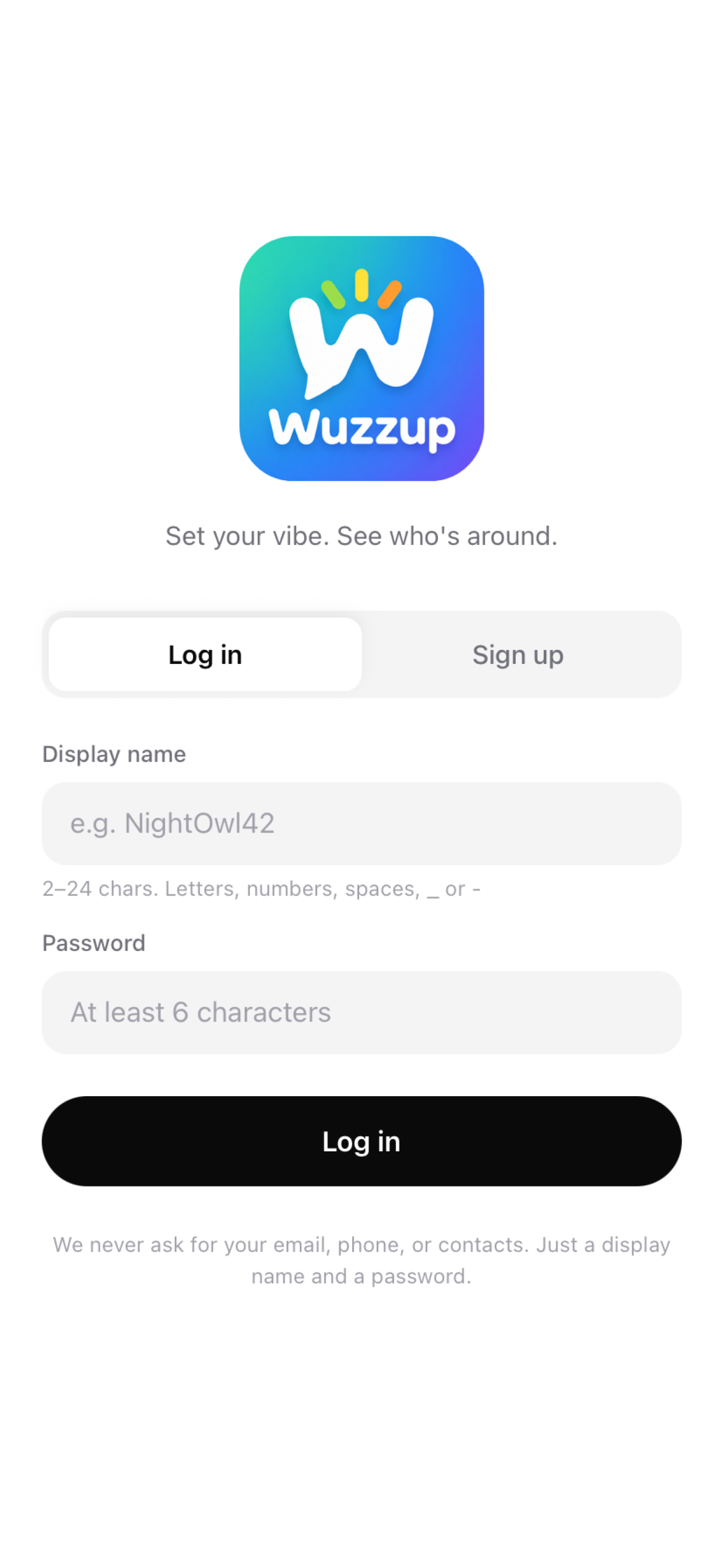
Create Your Account
To create an account with Wuzzup, you just need to create your Display Name and password. The Display Name can be anything you want as long as it hasn't already been taken. This name is how all of your friends will see your status.
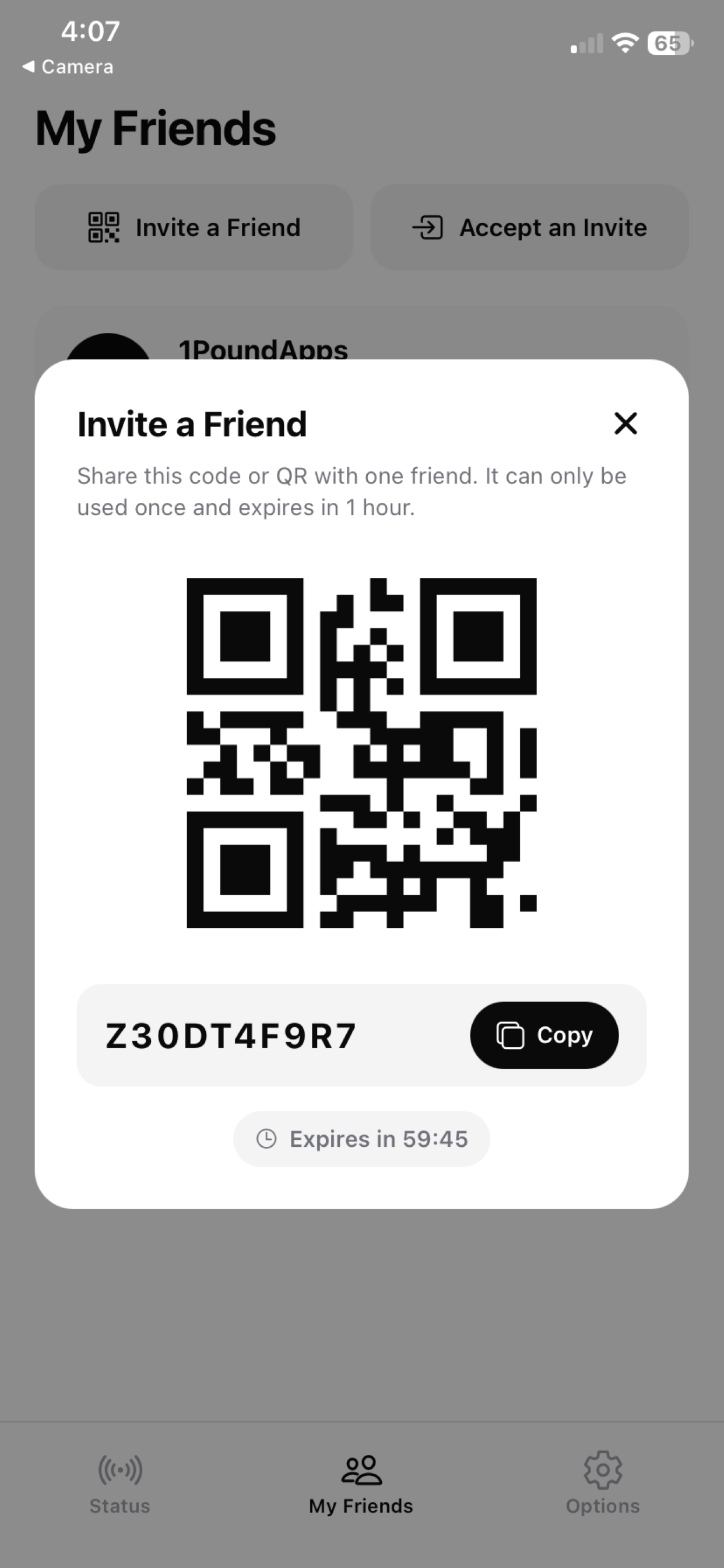
Invite a Friend
Once logged in, you can invite your friends (with the Wuzzup app) to connect with you from the "My Friends" tab at the bottom of the screen. Because we don't access your personal contacts, you have to take this action yourself. The two ways to do this are: (1) via the QR code, which is easiest if you're with your friend in-person, or (2) providing an invite code to your friend — sent however you prefer to communicate. To prevent unintended connections, the invite code can only be used once and expires one hour after creation.
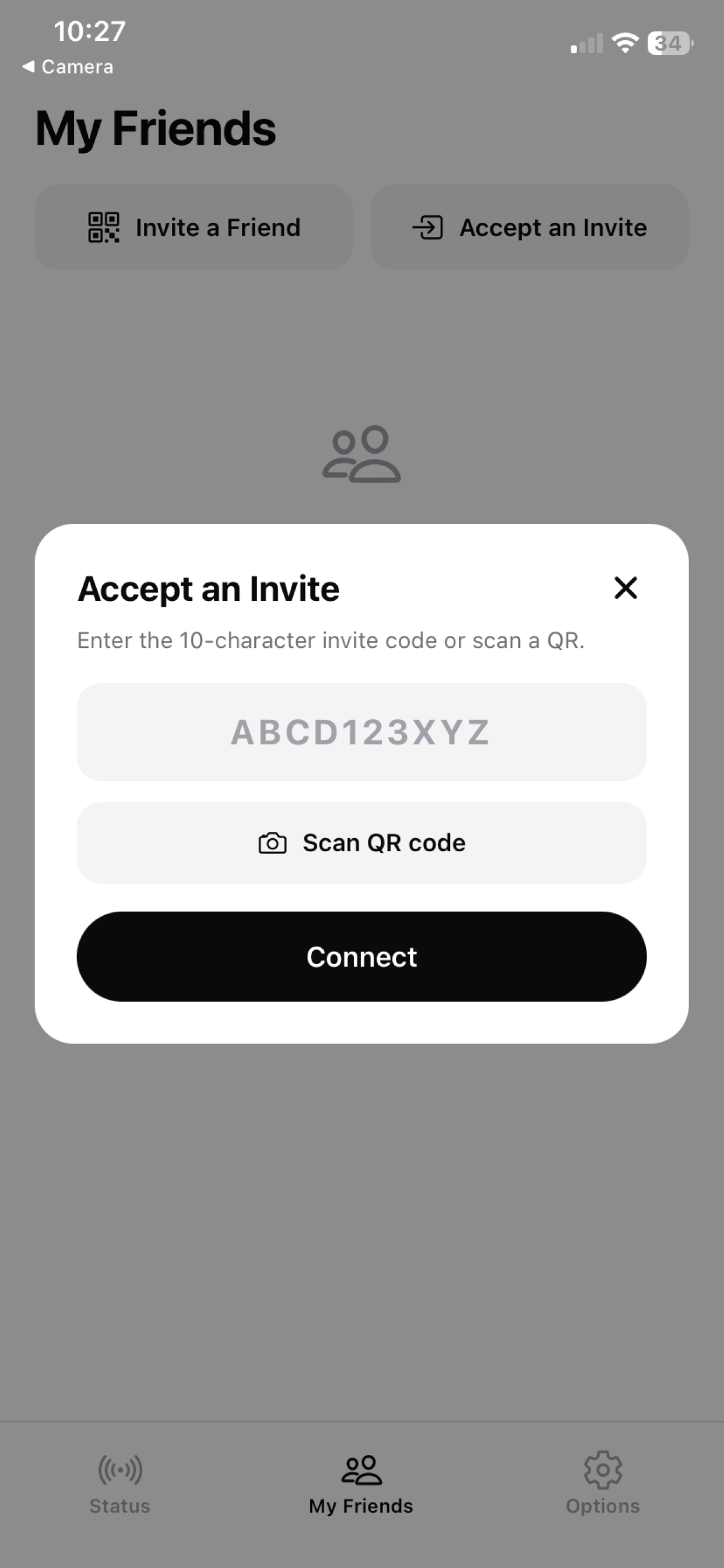
Accept an Invite
To accept an invite from a friend, access the "My Friends" tab at the bottom of the screen and select "Accept an Invite." You'll have the option to either (1) scan the QR code being displayed by your friend next to you, or (2) enter a text invite code your friend sent you. Tap "Connect" and you're now visible to each other!
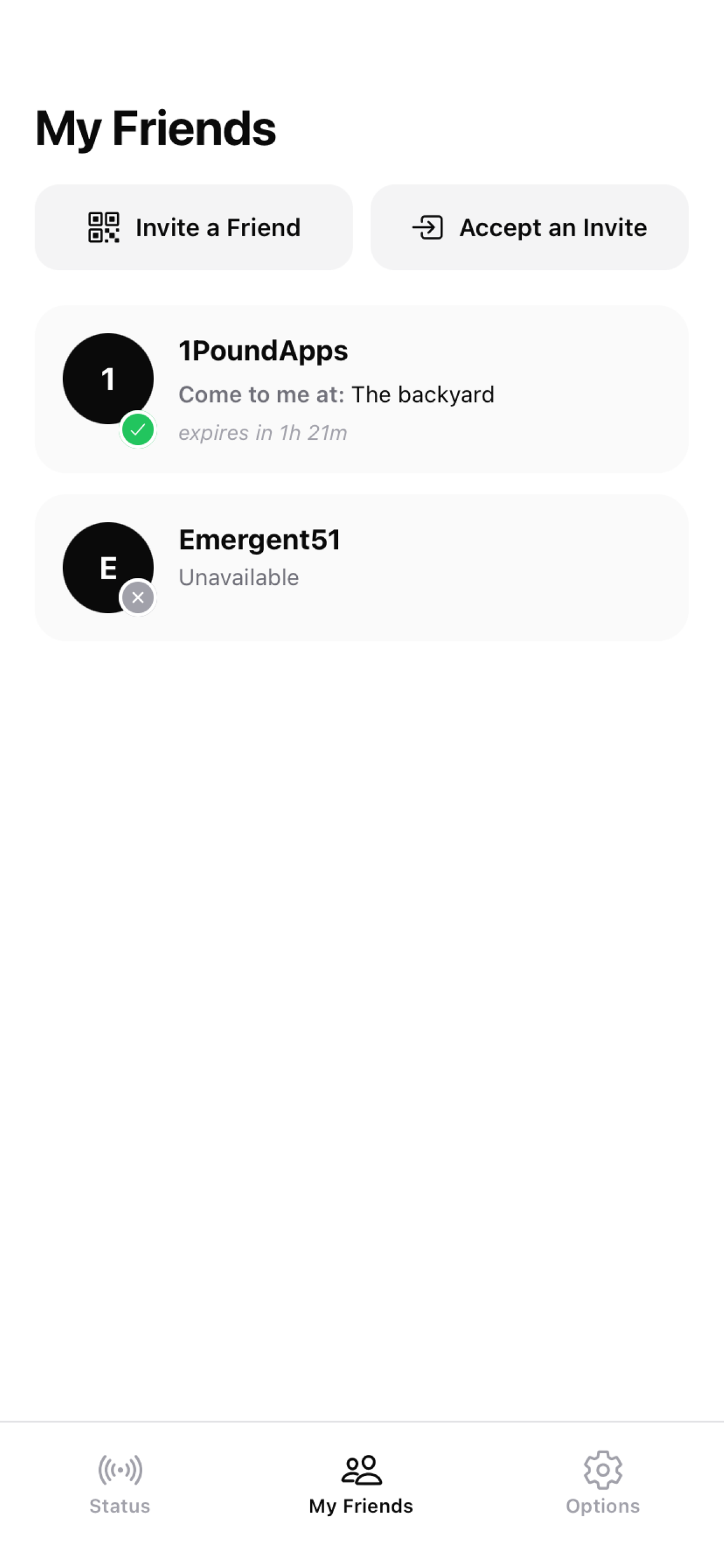
See Who's Available
Once connected, you'll be able to see your friends' availability on the "My Friends" tab. A green badge means they're available and you can see their details. A grey badge means they're unavailable — no awkward "sorry, can't" messages needed.
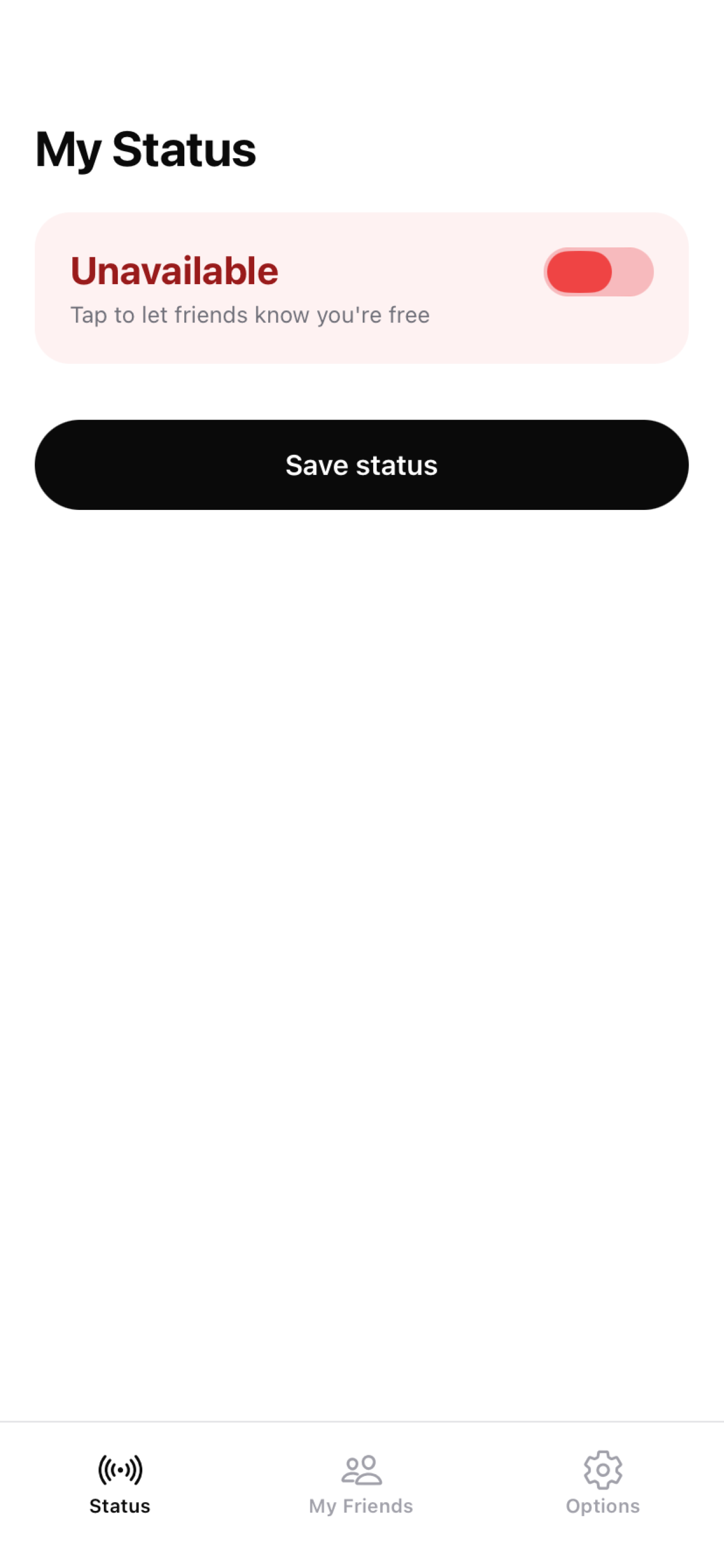
Set Your Status (Default: Unavailable)
Your own availability status is set on the "Status" tab in the lower left of the screen. The default is "Unavailable" — meaning your friends won't see you as free until you decide to change it.
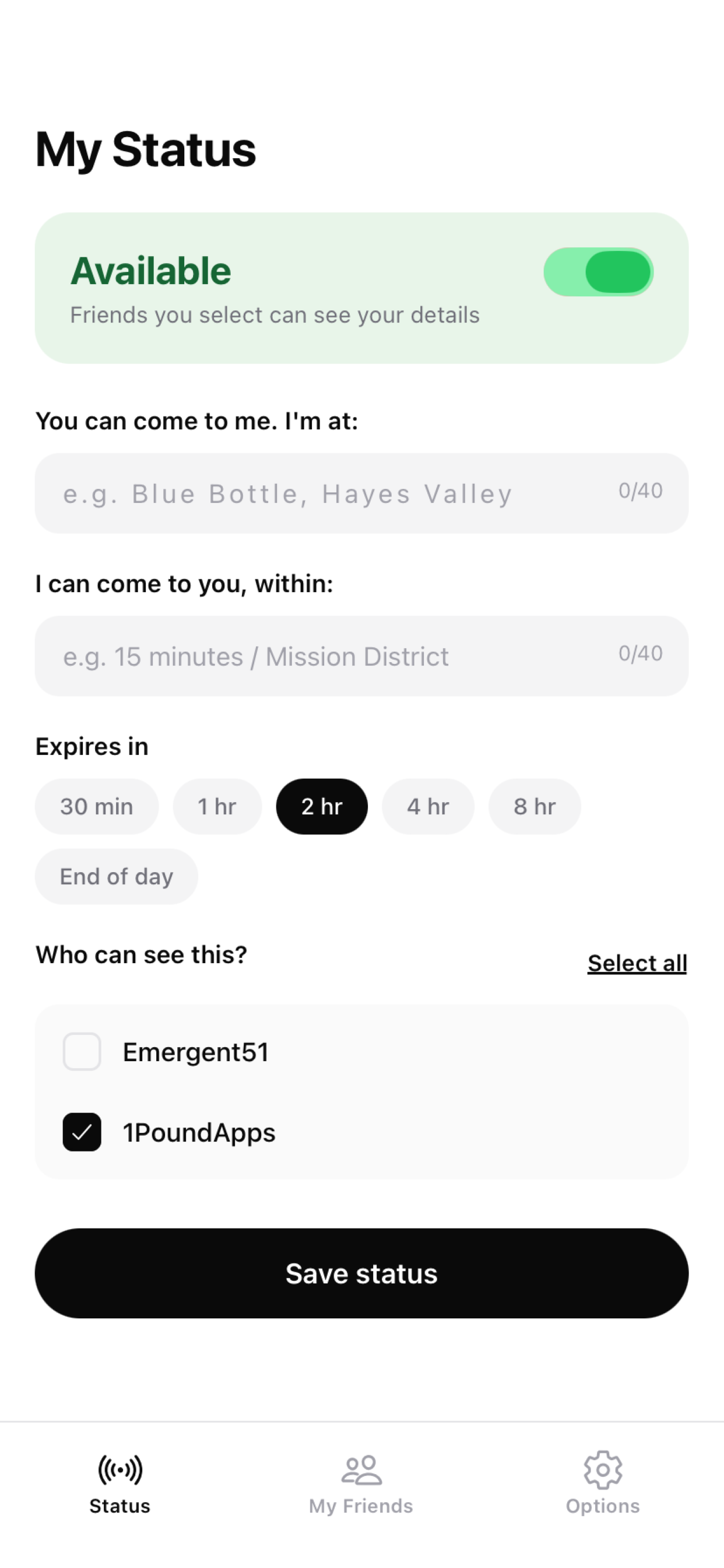
Go Available & Set Your Details
When you toggle to "Available," a number of options will appear. Fill in what's relevant, set an expiration, choose who can see you, then tap "Save Status." Your selected friends can now see your availability!
You can come to me. I'm at:
If you fill this in, your friend will see that text exactly. Be as descriptive or as cryptic as you like — this is for when you're open to friends joining you where you are.
I can come to you, within:
Let friends know how far you're willing to travel. Use a geographic region, travel time, or whatever makes sense to you.
Expires in:
Expiration is required to prevent your status staying "Available" when you're not — which would confuse friends and create awkward situations. If you end up staying free longer, just reset your status.
Who can see this?
Pick which specific friends can see your availability. Helpful for those times when you're only in the mood to see certain people.
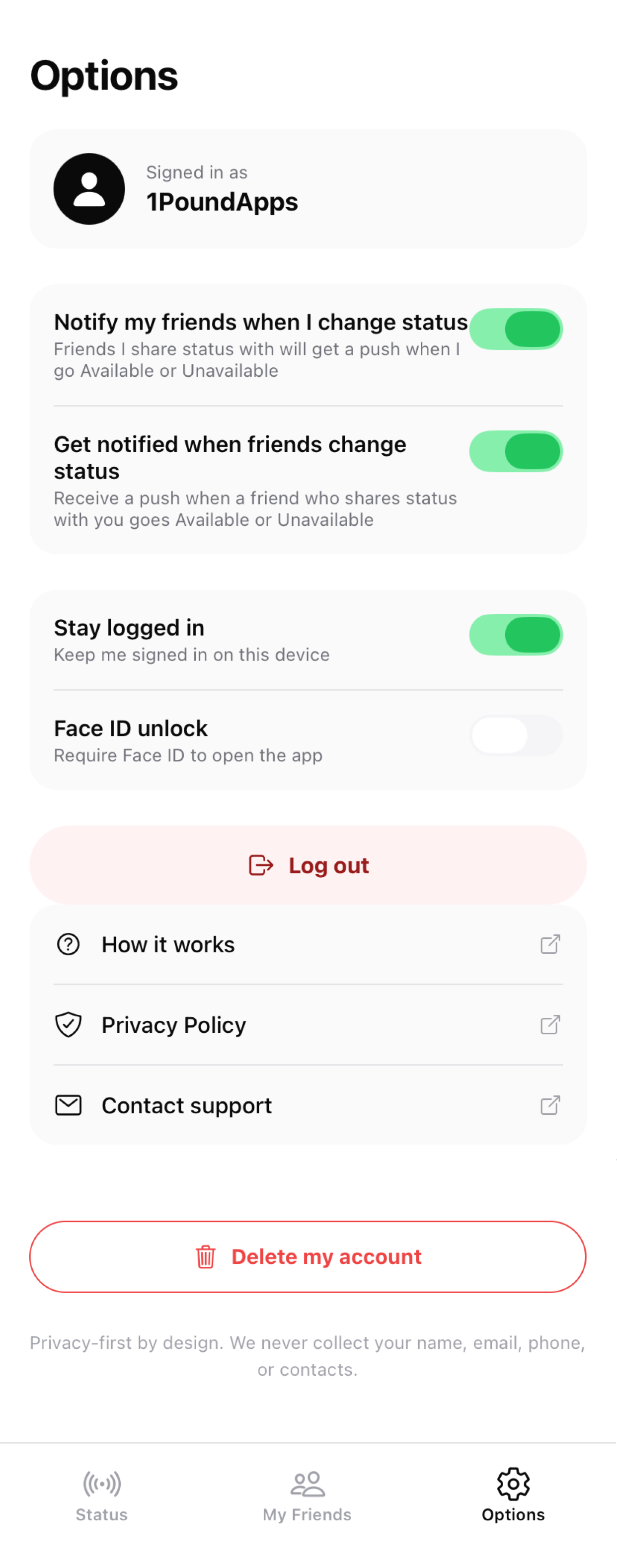
Options & Notifications
The Options screen is pretty self-explanatory. Turning on push notifications means availability updates will alert you without having to open the app to check. You can also control whether friends get notified when you change status, toggle Stay Logged In, and enable Face ID unlock for extra security. At the bottom, you have the option to permanently delete your account (this cannot be undone).
Ready to try it?
Free tier available. No credit card required. No data collected beyond your username and password.